
Trade alerts from a Discord server you run
Options and stock alerts in a Discord server you run, auto-traded at your broker. Members subscribe and their own bots trade the same calls. Paper is free.
Watch the setup
2:13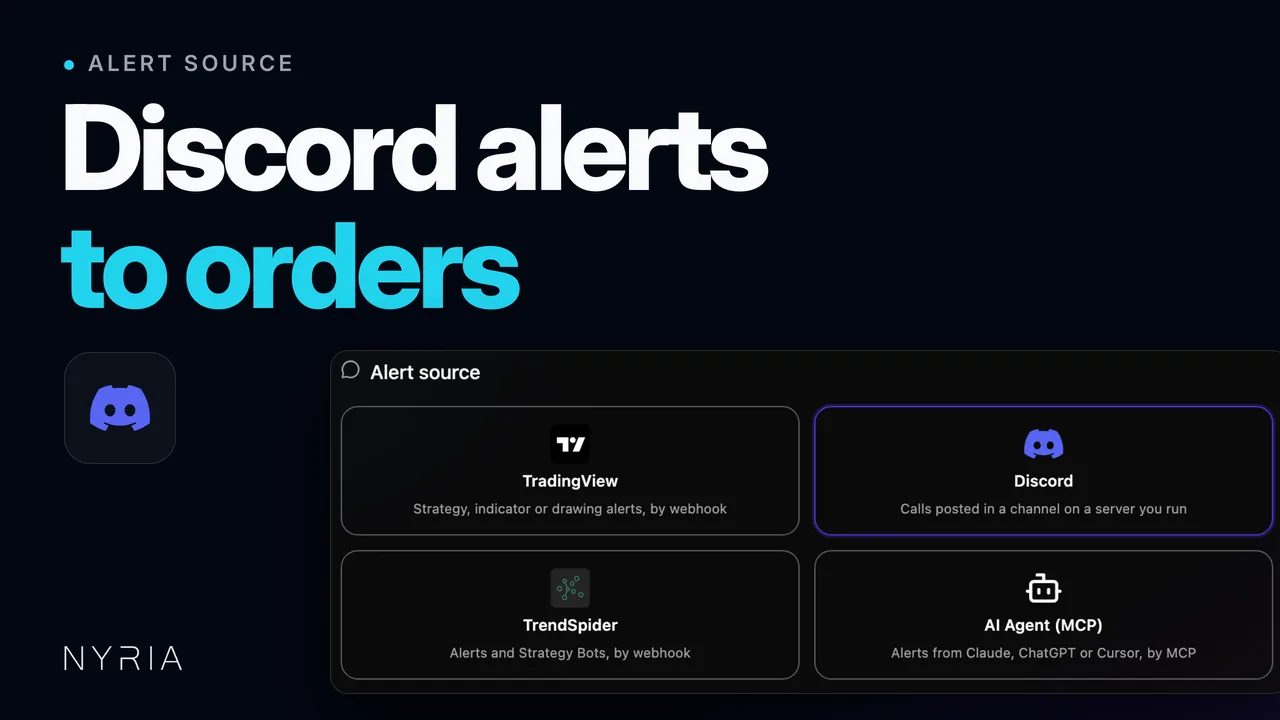
Add the Nyria bot to a Discord server you run, pick the channel, and each alert posted there becomes an order at your broker. The bot reads the ticker, the direction and the action from the message's embeds or its text. Threads, DMs and later edits are not read.
Nyria turns the options and stock alerts posted in a Discord channel into orders at your broker. Members of a server someone else runs can't connect it themselves: they subscribe to the strategy its owner publishes on Nyria. You check the reading on real messages before any bot is deployed. This page is the reference. For the short version, see how to turn Discord options alerts into broker orders, or Discord options alerts to broker orders on nyria.io. Paper is free. Live trading from $15 a month.
Before you start
You need:
- A Nyria account with at least one connected broker. See Integrations.
- Manage Server permission in the Discord server you want to read from.
- The ID or name of the channel where the alerts are posted.
Without admin access to the server, send the alerts through TradingView or your own bot instead. See the webhook reference for the payload.
Steps
Link your Discord account in Nyria
In Nyria, go to Integrations, scroll to Third-party integrations, open the Discord card, and select Connect Discord. Discord's OAuth screen opens.
Authorize Nyria to read your Discord identity
Approve the OAuth scopes Discord shows. Nyria asks for:
identify: to map your Discord user to your Nyria account.guilds: to list the servers you are a member of so you can pick one.
Nyria doesn't ask for email or messages.read. The bot reads the channel, not your account.
Create a Discord strategy
Select Create strategy and pick Discord as the alert source. On the Discord channel step, select Invite bot to server (or Add server, if you've invited the bot before). Discord opens its bot-invite flow with these scopes filled in:
botapplications.commands
And these permissions:
- View Channels
Choose the server and select Authorize.
Pick the server and channel
Back on the Discord channel step, pick the server under Discord server, then the alerts channel under Discord channel.
One channel per strategy. If a caller posts in #stocks and #options,
authorize each and give each its own Nyria strategy, so alert rules,
sizing and broker accounts stay separate per channel.
Nyria acts on messages posted in that channel, in that server, from any member, bot or webhook, whatever their roles. Threads, other channels and DMs are not read.
Then set:
- Under Message filters, Author (optional): all or part of the poster's display name, ignoring case. Only messages from a matching name are read. Use it when several callers share one channel.
- Under Message filters, Keyword (optional): text to look for, ignoring case. Only messages containing it are read. Use it when alerts share a channel with chatter (for example
ALERT). - On the next step, What it trades: Asset type (Stocks, Options or Crypto), whichever your broker supports. See what you can trade.
The preview beside these fields shows the channel's latest 25 messages, embeds and code blocks included, and Load more reads 100 older ones at a time. Finish the remaining steps and select Create draft on Review. If the channel's messages show on the strategy's Alert format card, Nyria is reading it.
Check the format on real messages
On the Alert format card on the strategy's Integration tab, assign one past message from the channel to each of Long entry, Long exit, Short entry and Short exit, four at most. Only the sides your strategy enables are offered. Leave a message unassigned to skip it.
Nyria reads each assigned message and shows what it would have traded: symbol, side, contract (for options), and the open position it would have closed (for exits). If a reading is wrong, assign a different message or adjust the strategy before you deploy a bot.
Take it out of draft and deploy a bot
When every trade type the strategy enables has a message Nyria can read, the strategy turns Active. Select Deploy bot and pick a connected account.
The next message in the authorized channel that passes the author and keyword filters places a trade.
How Nyria reads Discord messages
Nyria reads three things from each Discord message, in this order:
- Embeds, if the message has any.
- Quoted tweet, if the message is a Twitter/X link that Discord unfurls.
- Free text, the message body itself.
The first one that gives a ticker, a direction and an action is used, and the rest are ignored for that message.
Embeds
When a bot, webhook or Discord app posts a message with a rich embed, Nyria reads the embed in this order:
embed.titleembed.description- each
embed.fields[i].name+embed.fields[i].valuejoined by a space
Nyria reads each piece the way it reads free text, and uses the first piece it can read.
Example. A TradingView Discord webhook payload posts this embed:
{
  "embeds": [
    {
      "title": "SPY long entry",
      "description": "Trigger: 20EMA cross",
      "fields": [
        { "name": "Strike", "value": "780C" },
        { "name": "Risk", "value": "1R" }
      ]
    }
  ]
}
Nyria reads SPY long entry from title and finds 780C in the fields, so each of the strategy's bots buys the SPY 780C. The other fields are ignored.
Free text
If the message has no embeds, or Nyria can't read any embed piece, it reads the message body. This is the usual case for callers who type alerts by hand.
Free text takes the same shapes as plain-text TradingView alerts:
SPY long entryClose short BTCAAPL 345C buy to opensold half SPY 780CNyria ignores case, trailing punctuation, emoji, and @everyone or @here mentions. It doesn't guess at questions or hedged wording: thinking about SPY? places nothing.
Quoted tweets (longed / shorted)
When someone pastes a Twitter/X link, Discord unfurls the tweet as an embed with embed.description = tweet text and embed.author.name = @handle. Nyria handles this case separately, for the common "I longed it" and "I shorted it" calls.
For a quoted-tweet embed, Nyria also reads:
longed <SYMBOL>→ long entryshorted <SYMBOL>→ short entryclosed long <SYMBOL>→ long exitclosed short <SYMBOL>→ short exit
Example tweet content:
longed NVDA at 224.40, stop 221Pasted into the authorized channel, this places an NVDA long entry. The price (224.40) and stop (221) are read as metadata, and Nyria places no stop order: the position closes on the caller's later exit alert.
The quoted-tweet rule only applies when Discord unfurls the tweet. If Twitter/X blocks the unfurl (rate limit, deleted tweet, private account), Nyria sees the bare link and reads the message body as free text instead. Ask callers to type the symbol and direction in the message too.
Author filter
The Author (optional) filter matches the poster's display name in the
server, ignoring case, and part of a name counts: trader matches
TraderJoe. It compares names, so a user ID never matches.
A display name can change. If a caller renames themselves, update the filter. Anyone in the server can take a matching display name, so the filter narrows a channel but doesn't lock it: use a channel only the caller can post in. If a caller posts the same alert from a personal account and a server bot, use the bot's name.
Keyword filter
Use the keyword filter when the alerts channel also has chatter:
| Channel pattern | Keyword filter |
|---|---|
| Dedicated alerts channel | Leave empty |
Mixed channel with ALERT: prefix | ALERT |
| Mixed channel with emoji prefix | The text after the emoji, for example entry |
| Channel with both entries and exits | Empty. Nyria reads each message on its own |
The filter matches the keyword anywhere in the message, ignoring case. A keyword of entry matches Long entry SPY and Entry: AAPL but not analysis.
Discord quirks
Edits and deletes do nothing
After Nyria trades on a message, editing or deleting the message doesn't reverse, change or cancel the order. Nyria acts on the message as first posted and doesn't watch for edits or deletions. To get out of the position, post a normal exit alert.
Forwarded messages aren't read
Nyria doesn't read a message shared with Discord's Forward feature. Post the alert in the channel itself.
Rate-limited reconnects
Discord's gateway throttles bot reconnects per server. During a Discord outage, the bot can miss up to about 30 seconds of messages while it reconnects. Missed messages are not replayed: an alert posted in that window is lost.
Attachments are ignored
Nyria doesn't read text in images, videos or files, such as a chart screenshot with "long SPY" written on it. The caller has to type the alert or post an embed.
@everyone and role pings
Mentions are removed first, so @everyone long SPY reads the same as long SPY. The author filter still applies, and a user it does not name cannot get past it by pinging @everyone.
Troubleshooting
Can't pick the server
You need Manage Server permission in that server, and the Nyria bot has to be in it. Invite the bot again with Invite bot to server (or Add server) in the strategy's Discord channel step, and check your roles in the server's Server Settings → Members.
"Pick a text channel the Nyria bot can see"
The channel was deleted, turned into a voice, forum or stage channel, or a channel override took away the bot's View Channel permission. Open the channel's permissions in Discord, give the Nyria role View Channels, then pick the channel again under Discord channel in the strategy's Discord channel step.
Nyria couldn't read the alert
Nyria got the message, but no embed piece, quoted tweet or free-text shape matched. Open the message on the strategy's Alert format card to see which sources Nyria tried and why each failed. Common fixes:
- The caller wrote "added more SPY", which implies a direction without stating it. Ask for "added long SPY".
- The caller posted only a chart image. See "Attachments are ignored" above.
- The embed put the symbol in
embed.footer, which Nyria doesn't read. Move the symbol to the title, description or fields.
Paste the message into the alert tester to see which shape it would match, or the refusal it would get.
The webhook reads alert text the same way. See the webhook reference.
Trades fire on the wrong account
The bot, not the strategy, picks the broker account. Open the strategy's My bots tab and check the active bot trades the account you meant.
Multiple entries disabled
The strategy allows one open position at a time, and one is open. Close it by posting the matching exit alert in the channel, or turn on Allow multiple entries on the strategy.
Questions
Which permission does the Nyria bot need?
One: View Channels. The bot reads the channel and never posts in it.
Can one strategy read two channels?
No. One channel per strategy. A caller who posts in two channels needs two strategies.
What if a caller edits or deletes a message?
Nothing changes. After Nyria trades on a message, editing or deleting it doesn't reverse, change or cancel the order. Post an exit alert to close the position.
Can I connect a Discord server I don't run?
No. You need Manage Server permission to invite the bot. If the owner publishes the calls as a Nyria strategy, subscribe to it and deploy it on your own account.
What does it cost?
Paper is free. Live trading from $15 a month, priced by your total entry allocation.
Related
- How to turn Discord options alerts into broker orders: the step-by-step guide.
- Discord options alerts to broker orders, on nyria.io: the same setup for the server owner and for members.
- If you run an alert service, sell access to your strategy. Each member runs a bot on it in their own brokerage account.
- Link your Discord account: permissions, security and account linking.
- Webhook reference: send the same alert text in an HTTP request.
- What you can trade: the stock, option and crypto alerts Nyria reads.
- Trading behavior: how entries, exits and multiple entries work once an alert reaches the bot.
TradingView alert messages
Copy-ready TradingView alert messages for a strategy or an indicator, every placeholder you can use, and the mistake that stops an alert from trading.
Trade alerts from a Telegram chat you run
Link your Telegram account, add the Nyria bot to a group or channel you run, and trade the alerts posted there.